CUDA Optimizing Matrix Addition
CUDA Optimizing Matrix Addition
Matrix addition을 stream을 사용해서 최적화 시키고 분석해보면서 배운것
기존 synchronous하게 matrix addition에서 DMA Controller 작업과 SM작업을 overlapping하서 최적화를 진행 하였다.
기존 default stream으로 synchronous하게 진행되는것에서 4개의 stream에 asyncMemcp를 이용해서 비동기적으로 작동하게 하였다.
Stream수 만큼 data를 나눠서, 각 스트림마다 같은 커널 연산을 나눠진 데이터로 수행하게
1
2
3
4
5
6
7
8
9
10
11
12
    for(int i = 0; i < size(streams); i++) {
        long long offset = i * perStream;

        cudaMemcpyAsync(devA + offset, A + offset, sizeof(int)*perStream, cudaMemcpyHostToDevice, streams[i]);
        cudaMemcpyAsync(devB + offset, B + offset, sizeof(int)*perStream, cudaMemcpyHostToDevice, streams[i]);

        int threads = 256;
        int blocks = (perStream + threads-1) / threads;
        addition<<<blocks, threads, 0, streams[i]>>>(devA + offset, devB + offset, devC + offset, perStream);

        cudaMemcpyAsync(C + offset, devC + offset, sizeof(int) * perStream, cudaMemcpyDeviceToHost, streams[i]);
    }
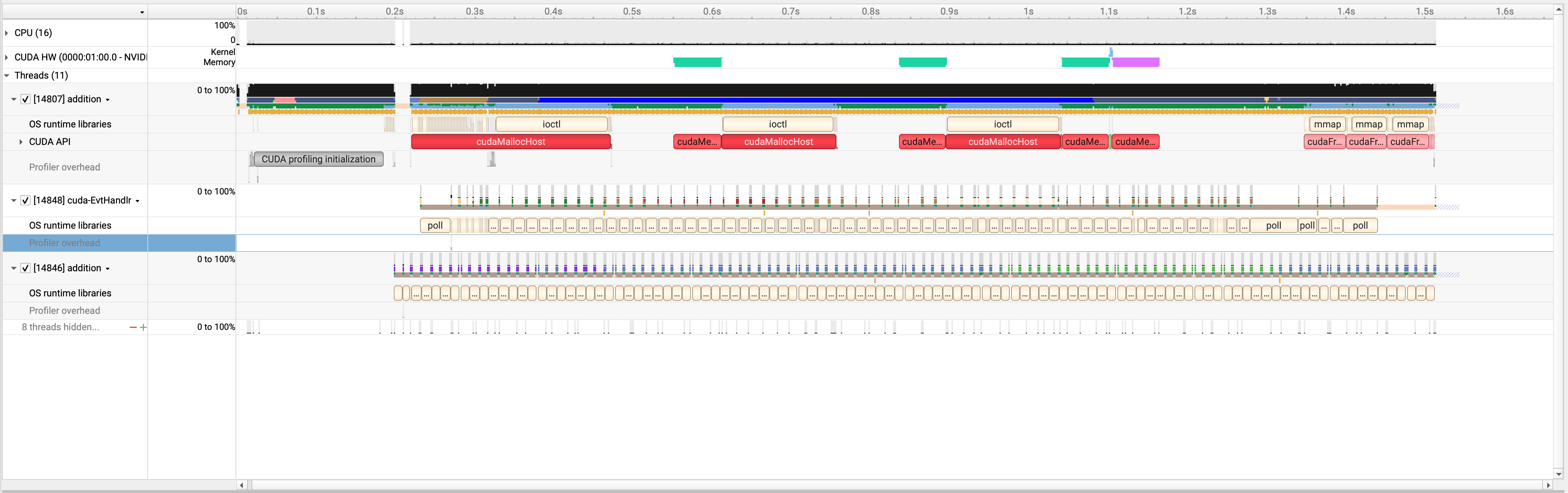 Default Stream으로 구현
 4개의 stream을 사용해서 async하게 구현
녹색, 파란색, 핑크색이 겹치는 걸 확인할수 있다.
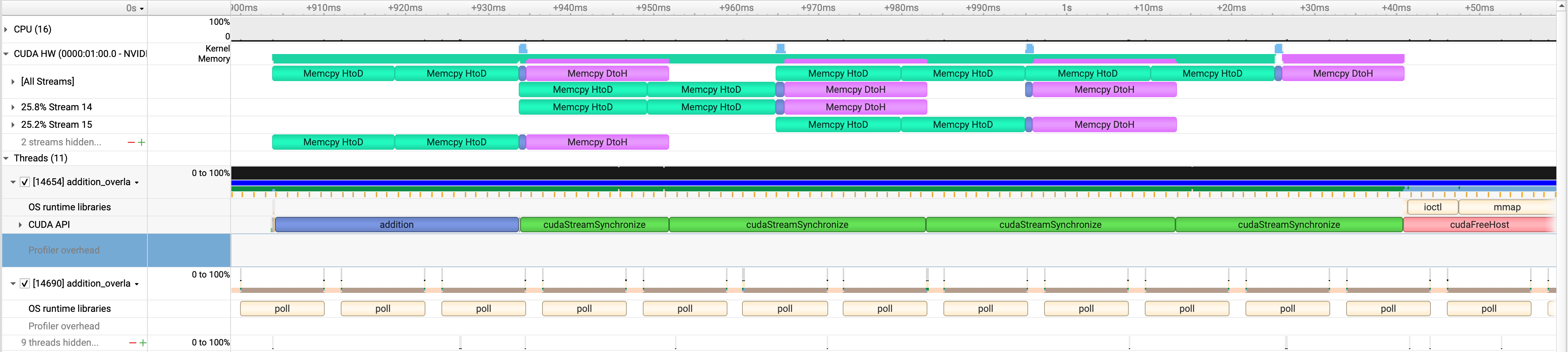 겹치는 부분 자세히 들여다 보기
Device로 가져오고, 연산하고, 결과 보내는 예쁜 파이프 라인이 만들어짐을 볼수 있다.
결론
코딩에 익숙해지기 위해, 두 코드 다 scratch에서 부터 짜서, 완벽이 성능 비교는 할수 없는데, overlap된 부분이 생기긴 하였다.
연산부하가 많이 없는 작업이라서 overlap된 부분이 많이 없없는데 연산부하가 커지면 확실히 많이 줄일수 있겠다.
This post is licensed under CC BY 4.0 by the author.